

=VG= SemlerPDX
-
Posts
4,944 -
Joined
-
Last visited
Content Type
Profiles
Forums
Events
Downloads
Gallery
Articles
AVCS Bug Reports (automated)
AVCS Bug Reports (manual)
VG Wiki
Blogs
Store
Everything posted by =VG= SemlerPDX
-
Yes - we have a dedicated server with a 24/7 Korean War campaign open to the public. Feel free to form up flights or whatever. VG could use some more pilots on the front lines... !cp
-

[poll] [PR:BF2] Playing music in Local
=VG= SemlerPDX replied to DRKJiveVigilante's topic in General Forum
Shouldn't this be on a case by case basis? There is a rule about this - it is spelled out as "any disruption to players"... So, when done right and rarely, and not loud volume that is disruptive, who cares - but if you ask someone to cut it out or turn it down, and they do not, ask an Admin to enforce the "no disruptions" rule. I enjoy it too, though I've not played in a long time, when a short bit of a song can be heard over local and it's appropriate (and not overly disruptive) - but I voted no in this poll. It has to be a case by case thing, and if some people find it disruptive, it shouldn't be done around them out of respect for your fellows... JMHO !hi -
Saitek X-55 Rhino ghost key issues
=VG= SemlerPDX replied to Gearjammer's topic in Joysticks/Devices
i was wondering if that thing would roll out okay. I thought that thing looked pretty cool when it was previewed. I wonder if you are having a DirectX issue - you could troubleshoot that by installing the stick on a different PC/laptop and see if the problem is consitent. **Also note - Saitek has always had some issues with it's programming software, to the point where I started making shift state mappings inside the games I used it for, instead of having master profiles created with Saitek Programming Software. I can show you how to manually create a BMS control profile with multiple shift keys and most anything you can do with Saitek, except for maybe Axis Bands with multiple keys at various Axis percentages. There are a lot of resources available to learn this process, and it may look complex at first, Example: SimTriggerFirstDetent 96 -1 -2 0 0x0 0 //CURSOR AND CMS// SimCMSDown 371 1072 -2 0 0x0 0 SimCMSRight 372 -1 -2 0 0x0 0 SimCMSUp 373 -1 -2 0 0x0 0 SimCmsLeft 374 -1 -2 0 0x0 0 ///AutoPilot/// SimToggleAutopilot 104 1076 -2 0 0x0 0 SimLeftAPSwitch 105 -1 -2 0 0x0 0 SimTransmitCom1 106 -1 -2 0 0x0 0 SimTransmitCom2 107 -1 -2 0 0x0 0 SimCommsSwitchLeft 108 -1 -2 0 0x0 0 SimCommsSwitchRight 109 -1 -2 0 0x0 0 but after a few times, you will know what you are doing. I promise you, I am so very thrilled to be able to just launch BMS and it already knows all my keys, shift keys, etc. I lose one or two of my X52 Saitek functions doing this, the 3 "modes" red, green and orange, and that is about it. Video gamey stuff - my stick is still programmed to mimic the actual F-16 HOTAS and all it's functions so the tradeoff is nothing for me. I'll look around for the links to the instructions, let me know if this is something you are interested it. Otherwise, good luck with your battle with Saitek STT Programming Software. !hi -
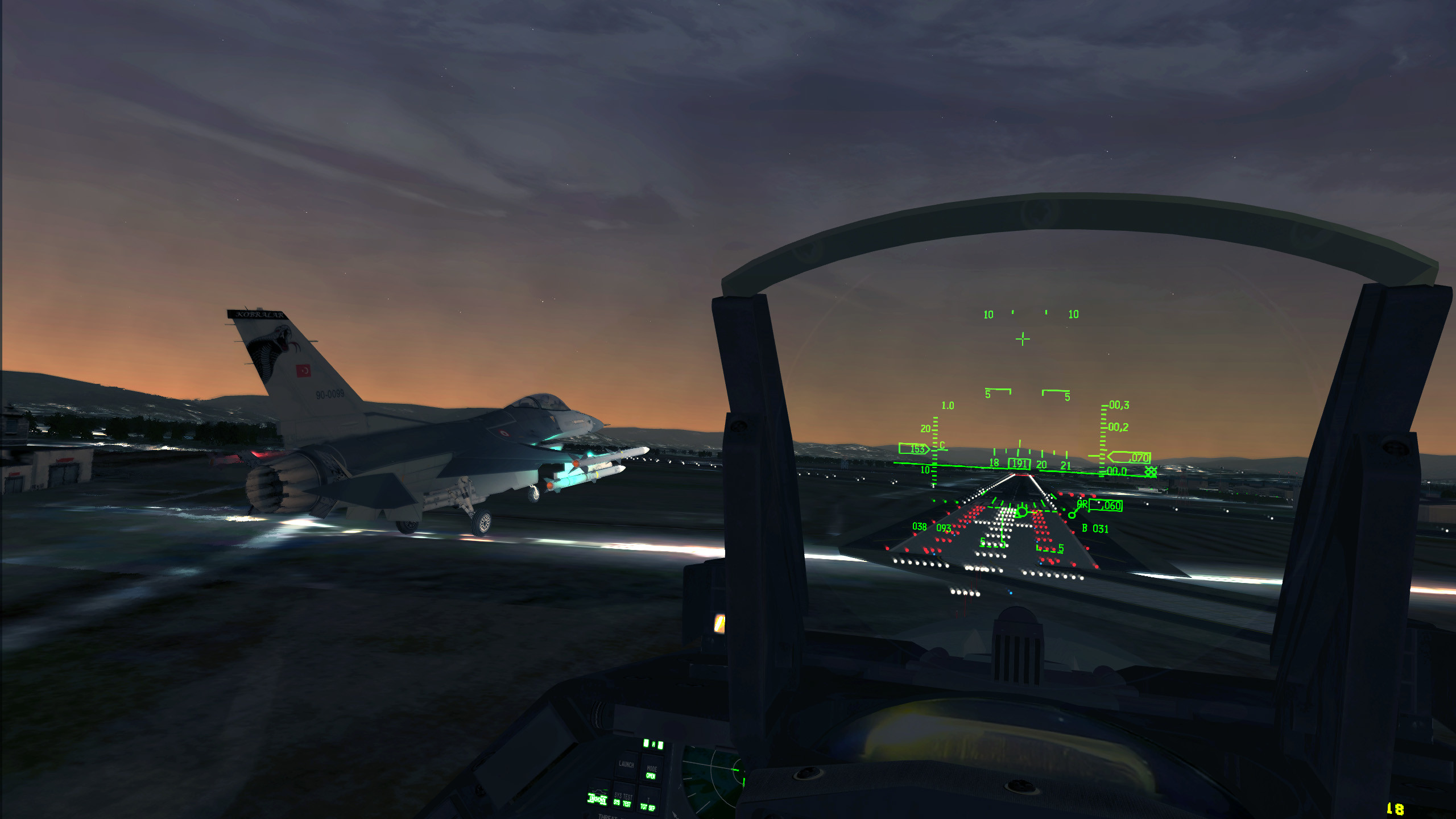
From one BMS pilot to those who only dream when they see this - let me tell you: You don't play this game - you experience it. !cp You will spend your time, for sure, learning your controls whether they match the real HOTAS of the F-16 or whether you find a mouse/keyboard combo that gets you up to Angles 20 - but you will also spend your time experiencing THE MOST REALISTIC F-16 Simulator that any of us PC gamers can get our hands on. This is no DCS - this does indeed have older graphic qualities than modern games have. But I restate: This is THE MOST REALISTIC F-16 Simulator that any of us PC gamers can get our hands on - There exists no other of this calibre. Take my endorsement to heart - if you like flight sims, you owe it to yourself to learn the Falcon. I bet I could walk onto a runway (if cleared) and step into a cold F-16 and bring it not only to life, but to 20,000 feet, and then safely back to earth. This is THE SIM! OOORAH!! !pilot
-
^ !lol if a poll could be changed once made, I'd ensure that answer would be added...
-
from chatbox tankmaster58 =VG=[05 Jun : 17:53] those that fought all over the world we thank you Lest We Forget !medal from chatbox SemlerPDX =VG=[05 Jun : 17:53] Well said. I met one person that was present at the Normandy Invasion on D-Day. Robert Behee - he was at Omaha. He stepped on a land mine. It fizzled. A dud. He was the father to one of the best humans I have ever known, my step-mother Bonnie Behee-Semler. I was young, but I remember Robert - he was very nice, and along with his wife, Mickey, he was a Trapeze Artist for the Greatest Show on Earth, Barnum and Bailey's Circus. Thank you to all those from all nations who fought for freedom! So I thought maybe we could make this into a thread. If anyone has any stories to share or interesting things they can share about D-Day to keep it going, that would be great. The storming of Normandy is so iconic in the minds of us gamers even moreso than the general public as it's been duplicated in our games so many times. Although nothing could ever compare to the real life horror of that heroic push, it can be said that it helps one to appreciate how absolutely terrifying yet absolutely neccessary that historic amphibious assault was. Thank you, Marines! !hi Semper Fi
-
It is complicated - only thing you can do is read all about it and do some tests yourself. I just don't know how, myself - only with DCS A-10C, not BMS. !hi
-
The best info on how to connect to the VG BMS is in the TeamSpeak channel for BMS - look in the description to the right of the channel, and it will describe what you need to do to ensure a successful connection. If you continue to experience problems, make a support thread and we will try to troubleshoot your issues there. Good luck and see you around!
-
*and any war updates, too!! Those who don't fly will still read the headlines on anything going on in the digital war....I know I will!
-
I LOVE that there is a persistant war going on at VG that anyone ready to fly can pop into. I wish I had the time (and gear at present) to enjoy it. You'll need to enjoy it for me for awhile, so keep the pics coming, and help get the word out that VG has a persistent public Korean War going on for any BMS pilots who want to support freedom in the digital theatre. Feel free to keep the photos coming!! We more than appreciate it! !cp
-
VG Falcon BMS Server Campaign is back up now...
=VG= SemlerPDX replied to =VG= SemlerPDX's topic in Falcon BMS 4
Wassup! Yea, it's up and running. Report any issues here. !cp -
nice!! !2cool
-
*UPDATED: ArmA 3 Zeus Role Play: Democracy Asunder
=VG= SemlerPDX replied to Warfighter's topic in Arma III
Blood makes the grass grow - shit runs downhill - you can lead a horse to water but can't make him drink - if you can't get enough players with us at VG, don't get your jimmies rustled, it just means that this decent idea needs more promotion. I haven't had a chance to look at the code yet myself, but I'm seriously interested in this thing that seems like a DandD style game. I'll be around - good luck, don't get discouraged by any initial lack of interest or low numbers, DayZ wasn't a hit in a day. !2cool -
As far as being banned goes, it must be possible to contact their support and get it all fixed. I'm afraid many of the questions you have asked may go unanswered here as there are only a few infrequent Falcon players on these forums, compared to the BMS site. The options menu for a lot of configuration settings is in the first launcher window, before the game is loaded. "Configuration" has all the extra settings not found in game. I have no idea how to use the built in editor, I've just never played around with it - same with alternate cockpits - I've never used them and I don't know anyone here who has. Your best bet is to try to follow instructions from YouTube videos featuring such things, maybe they will provide a method and files. Good luck!
-
Not sure if other aircraft have properly modeled cockpits the way FF did it. Also, I only fly in Korea or Balkans, and don't know anyone who flys in Taiwan, so I have no frame of reference. As for the activation email at BMS, I assume it must have ended up in a spam folder or was rejected by your email as I quoted in your other thread. Only their support team could fix that, or you could try making another account with different email settings and see if it gets through. It's automated and nearly instant so it's not like it takes days to get sent out. You've clearly not received the one they sent, as I'm sure it was sent by now. Good luck and enjoy Falcon BMS! We have a persistent Korean War going on at the VG BMS server 24/7, feel free to get into it when you are ready. !hi
-
They may be small in size, but over the course of time, thousands of downloads cost simple forum sites a lot of money in bandwidth. This is why torrents are the most viable option. 24MB here and there can add up. Good luck! You will no doubt need some assistance when it comes to programming flight stick buttons and such, I'd be happy to help you, and of course now that you can access our friends at the BMS site, you can get loads of resources there as well. So glad we could help! !cheers
-
You can just reply here in this post for an ongoing conversation. First of all, you are downloading Torrent files from BMS and then those files need to be opened in a Torrent program which will download the very large BMS files. This is a method used from time to time by mod makers to avoid the costs of hosting large files for thousands of downloaders. So, that is the confusing part you are missing - no mirrors there, only Torrents which are small downloader files that do their job on your end. First step for you would be to download a Torrent program, I still use uTorrent and here is a link to that: http://www.utorrent.com/ Once you have that installed, and torrent files associated with uTorrent, you will find that clicking on the download links at BMS website will ask to open a file with an outside program *(uTorrent) - once you allow this, you will notice uTorrent window come up and the files begin to download from multiple sources. It is very safe, and usually quite fast depending on the number of "seeds". I won't get into all the details, but this should get you what you need. If you have any further issues, feel free to reply to this thread rather than starting a new one. Good luck! !pilot
-
*with regards to the BMS website, you'll want to check your spam folder in your email, maybe it appeared there. This is what they suggest at the BMS site, you may need to create another account there after following these steps: ?The forum system sends out automatic eMail confirmations, PM notices etc... plenty of "free" providers (e.g. GMAIL, HOTMAIL) tag such automatic mails as "spam". If you want to receive our mails, make sure to either check your spamfolder regularly, or to whitelist the "@benchmarksims.org" domain. ?Some eMail providers offer a "sender verification system", i.e. if they receive an eMail from s/o for the 1st time, they send back an automatic response email, asking the sender to confirm his identity by clicking on some link, providing some info about himself. Our moderators do NOT have the time to do this, and our automatic forum eMail system is of course not capable of doing this. So if you have such a "protection" system in place, again, make sure to whitelist the "@benchmarksims.org" domain. Also note that you do not need the original Falcon 4.0 disc to install BMS, no original files are needed from the Falcon 4.0 program. All you need is the original Falcon 4.0 exe which you can find for free here: https://www.dropbox.com/s/6bt1n5n9lvy4rlo/falcon4.zip If you have any more problems, or need help re-registering at the BMS site, post up here and we'll try to help you. !hi
-
It was down. Thank you for the report - I have restarted it. I've been very busy lately, so if it happens again, let people know this is where they can come if it goes down again. !hi
-
Love it! !fans
-
That is a great idea. There are a number of decent vanilla missions for A3 so far, but which ones would lend themselves to a persistent server like Insurgency does for A2? Does A3 have Insurgency yet? Sounds like we need a list and some tests...
-
!2cool Nice!!
-
CCG looking for help on Insurgency issues and bugs.
=VG= SemlerPDX replied to PolishMartyr's topic in Servers
I will try to be there as well. !hi -
CCG looking for help on Insurgency issues and bugs.
=VG= SemlerPDX replied to PolishMartyr's topic in Servers
sure -
CCG looking for help on Insurgency issues and bugs.
=VG= SemlerPDX replied to PolishMartyr's topic in Servers
PvP/TvT - same idea - humans v. humans using Arma 2 or 3. It is not IMHO the best game for that. Like Savage said, I'd certainly try it in an event or large group play, and it would come down to the game mode type (S&D, etc.) to make it fun or playable. There are a few things about Arma that I don't like for human v. human fighting, and even the Arma PR (project reality mod) is not able to overcome these elements. This is why I prefer to play Arma against AI, and the smarter the better. I think where Arma shines is in COOP TvE and TvAI because it lends itself so well to teamwork and communication, but not so well at fluid character control or a sense of speedy input to character action/reaction. I will say that the game mod Invasion 1944 might do better at this due to the older weaponry and lack of modern optics and electronics, but still, I think playing vs AI in Arma is the most enjoyable gameplay so long as they aren't dumb as a post. !hi